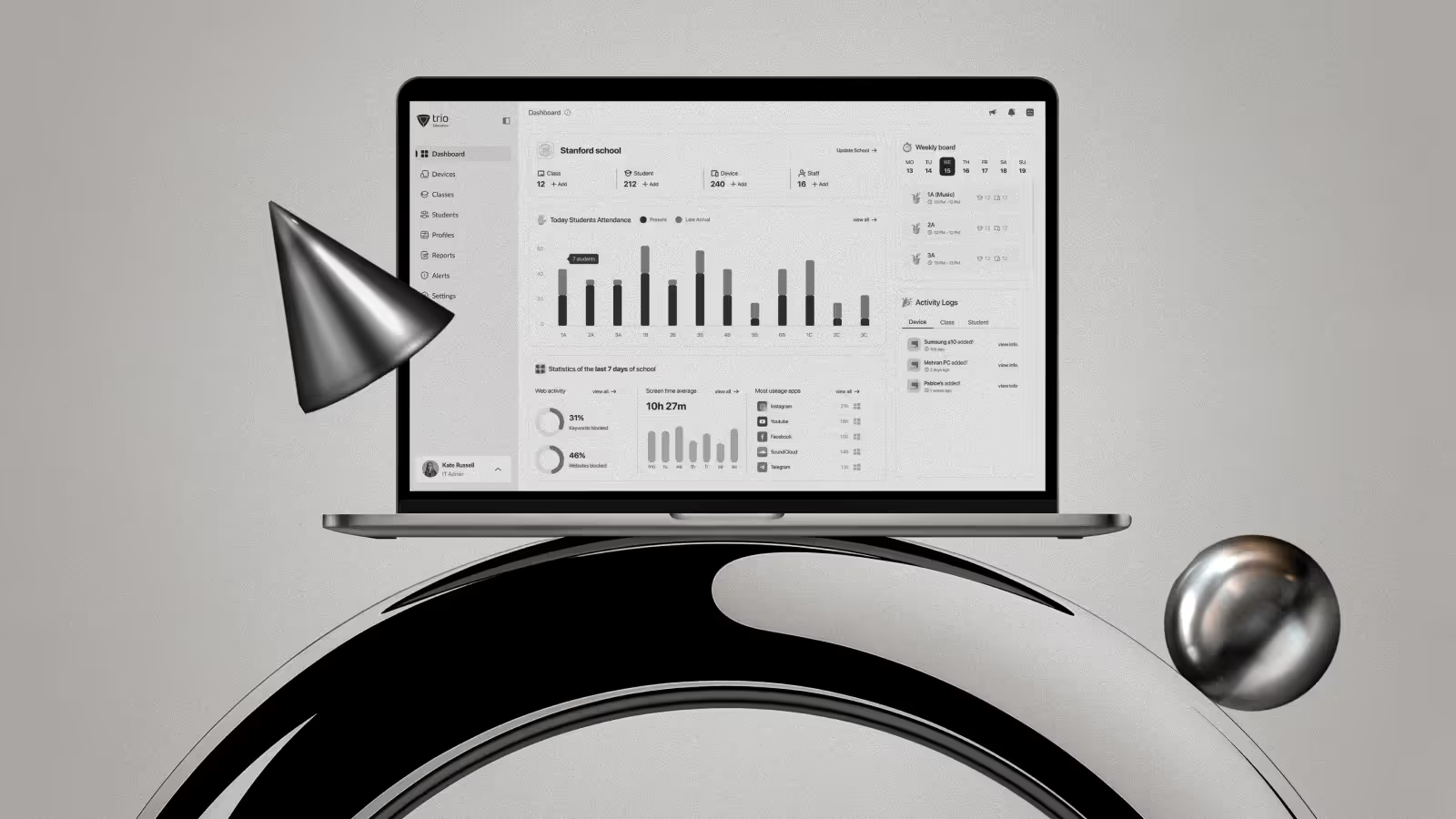
The Modern MDM
A deep exploration of how Trio evolved into a modern, human-centered MDM ecosystem—merging enterprise security, multi-platform device control, and a unified design language. This case study uncovers the architectural decisions and UX principles that made powerful device management feel effortless, intuitive, and confidently scalable.
Introduction
When I joined Trio, our goal was both clear and daring:
to design a modern MDM (Mobile Device Management) platform that would make enterprise-grade control feel simple, human, and intuitive.
At the time, the MDM landscape was divided. Some platforms were overly technical — designed for IT veterans fluent in APIs. Others were overly simplified — suitable only for small teams but impossible to scale. In both cases, admins felt trapped between power and usability.
Trio set out to bridge that gap.
As Lead Product Designer, I was responsible for shaping every layer of the product: from information architecture and design systems to user workflows and visual hierarchy. My mission was to make complex systems comprehensible, and to make enterprise software feel alive.
My responsibilities covered:
- UX Strategy & Research: Defining personas, understanding IT workflows, and identifying industry-specific pain points.
- Product Architecture: Designing a scalable model for users, devices, software, and security.
- Interface & Interaction Design: Building clarity through consistency and thoughtful hierarchy.
- Cross-Team Leadership: Guiding design, engineering, and product teams toward a shared design language.
Trio became a case study in transforming enterprise functionality into something deeply human — structured, modern, and confidently simple.
Problem & Research
The Challenge
Traditional MDM platforms make IT management feel like programming — cold, fragmented, and intimidating. They expose every piece of data (devices, profiles, certificates) without context. Admins are forced to memorize systems rather than trust them.
We wanted Trio to feel different — a tool where admins could understand the why behind every action.
The design challenge was threefold:
- Depth without confusion – keep the technical power of enterprise systems.
- Clarity without limitation – make it accessible to smaller teams.
- Adaptability without chaos – scale across industries like education, healthcare, and enterprise IT.
Research Approach
We conducted:
- User interviews with IT admins managing 100–1000 devices.
- Observations in schools and hospitals to understand real workflows.
- Competitive audits (Intune, Kandji, Jamf, Hexnode, Miradore) to identify UX and architectural gaps.
Recurring pain points emerged:
- Fragmented enrollment experiences across platforms.
- Low visibility into applied policies or app status.
- Poorly explained automation — admins didn’t trust what they couldn’t see.
These insights guided our design philosophy:
Simplicity through structure. Transparency by design. Flexibility through context.
Design Strategy
At the core of Trio’s design philosophy is a unified entity architecture — a single system that connects users, devices, software, and security into one transparent ecosystem.
But architecture alone wasn’t enough. To bring this vision to life, we built an entirely new Design System from the ground up.
Building a Scalable Design System
In the early stages, we relied on popular libraries and prebuilt components to accelerate delivery. It worked for our MVP — but as Trio grew, we began to hit creative and consistency limits.
Midway through development, I made the decision to pause and rebuild our visual foundation.
We created our own Design System in Figma — thousands of robust, flexible components built with scalability, accessibility, and performance in mind.
Every state, flow, and use case — from modals to multi-step forms — became a reusable pattern.
Today, our Figma library holds millions of pages and layers, powering every feature in Trio. Designers and developers can now focus purely on experience and logic, knowing every element is consistent, documented, and production-ready.
The result is not just visual harmony — it’s speed, confidence, and creative freedom at scale.
Directory & User Management
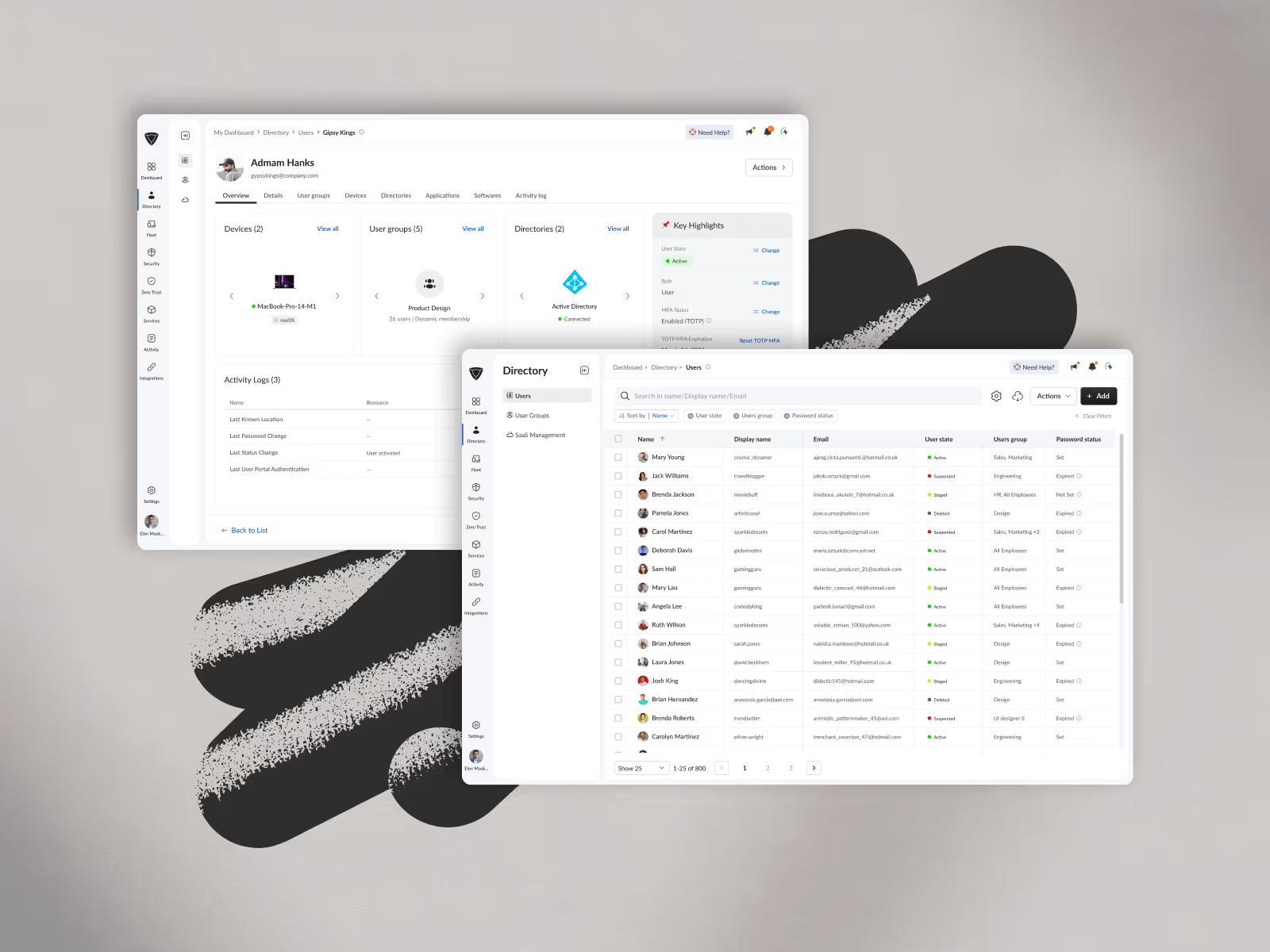
We started with identity — the foundation of every IT system.
Trio’s Directory Management connects seamlessly with Google Workspace and Microsoft 365, synchronizing users through SCIM and API integration.
Admins can create local users, import directories, or define user groups that mirror real-world structures such as departments or schools.
Access control is defined through SSO, SAML, and OIDC integrations, with optional MFA and Just-In-Time (JIT)provisioning for security-critical organizations.
Every user profile is a dynamic hub, linked to their devices, policies, and assigned apps. This relational model means that when a user changes groups, every linked configuration follows automatically — reducing manual oversight and ensuring accuracy across the system.
User management became not just a list, but a living map of organizational relationships.
Fleet & Device Management
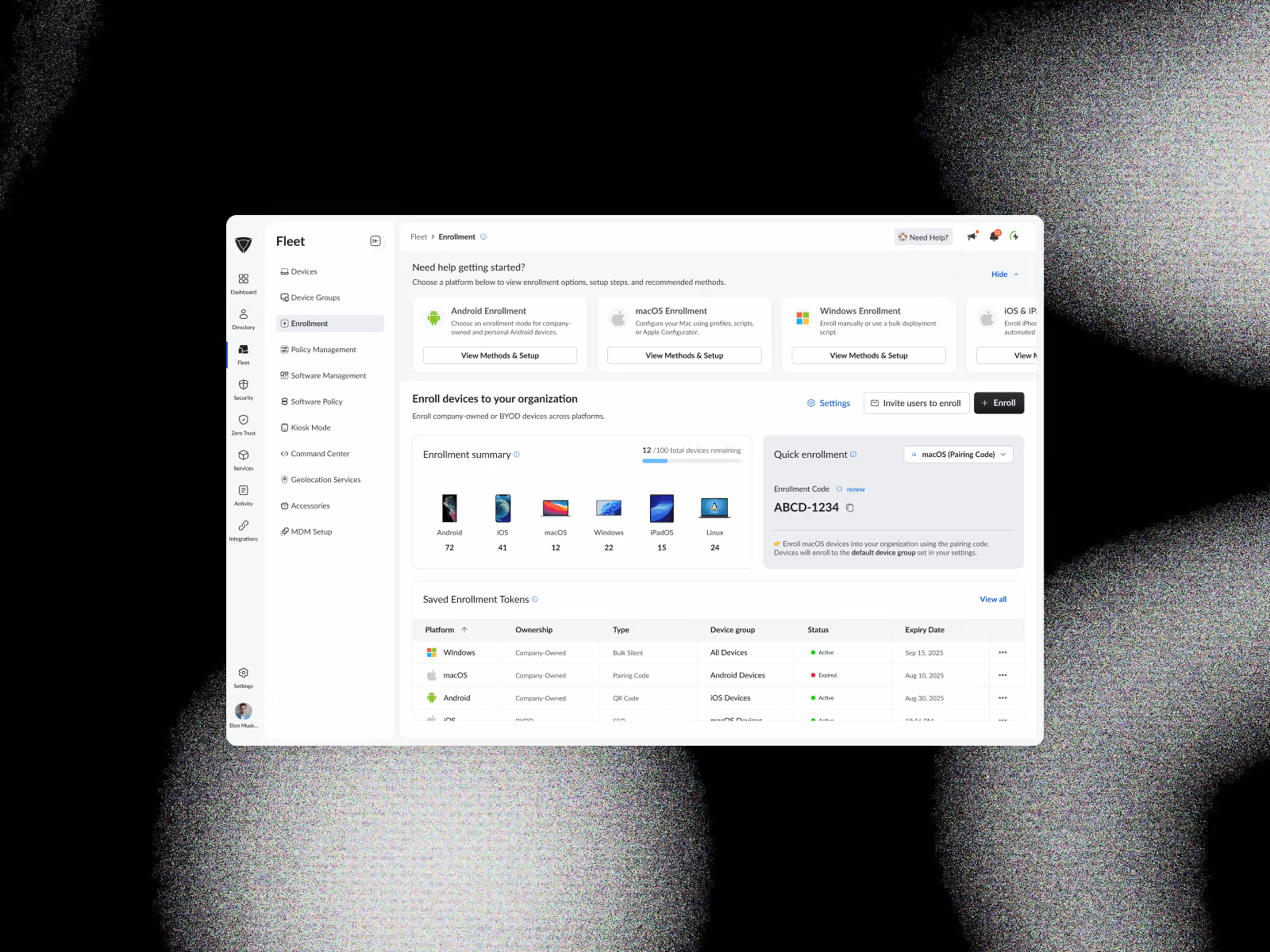
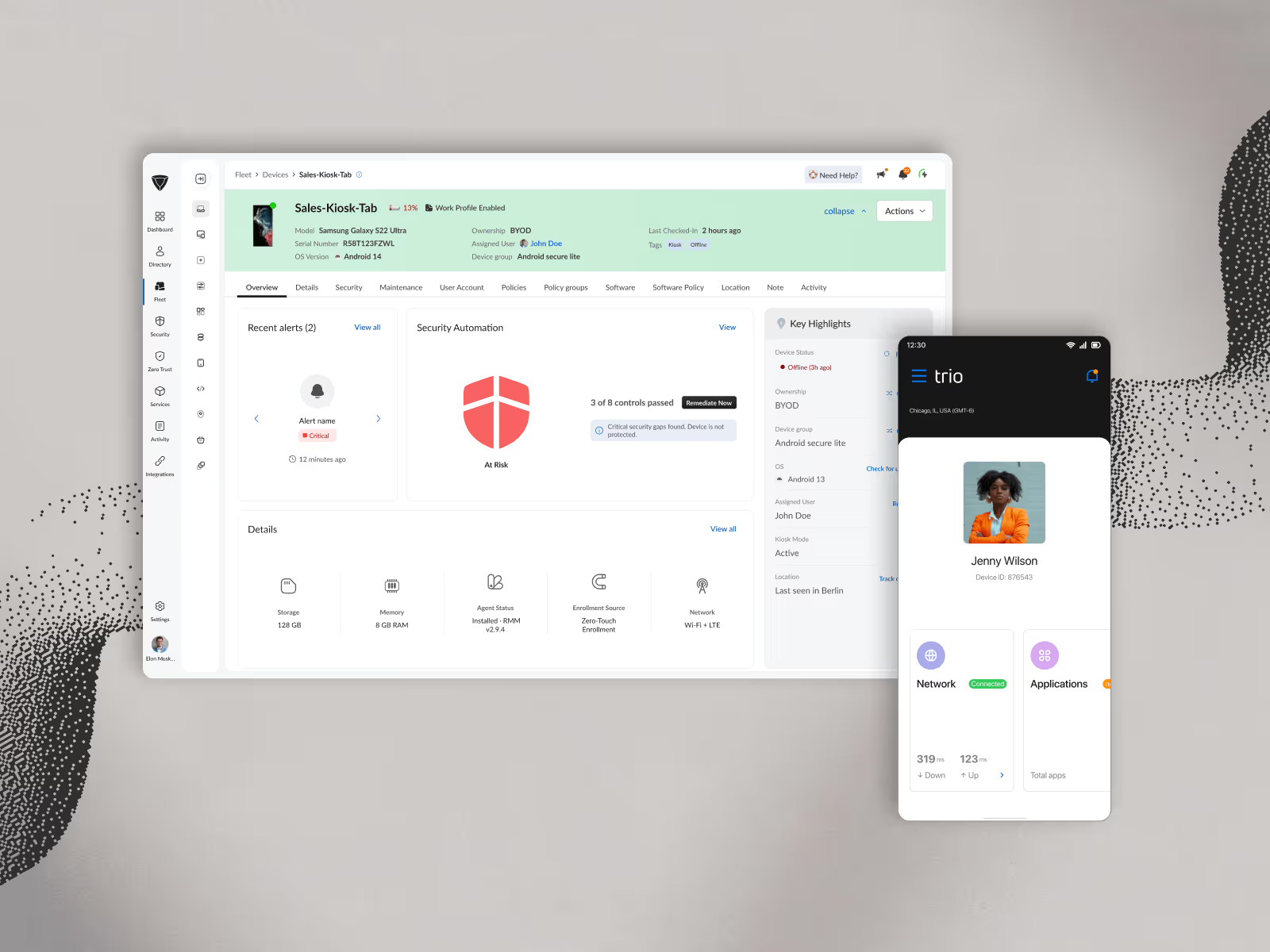
The Fleet is the heartbeat of Trio — a unified dashboard where every endpoint, no matter its platform, feels consistent.
We designed Fleet to support Android (EMM & RMM), iOS/iPadOS, macOS, Windows, Linux, and rugged or kiosk devices.
Enrollment can happen in multiple ways: pairing codes, QR codes, or silent provisioning through Apple DEP and Android Zero-Touch.
Each enrolled device instantly inherits its assigned apps, policies, and compliance checks. Admins can see live device health, location, and configuration — and take direct actions like Lock, Wipe, Restart, or Sync.
For scale, devices can be organized into Device Groups, where changes ripple across the entire group in real time.
Dedicated kiosk devices receive a custom control layer, letting admins lock down settings, define app whitelists, and manage hardware buttons and layouts.
The design principle was simple: make device diversity invisible and control intuitive.
Software, Policies & Command Framework
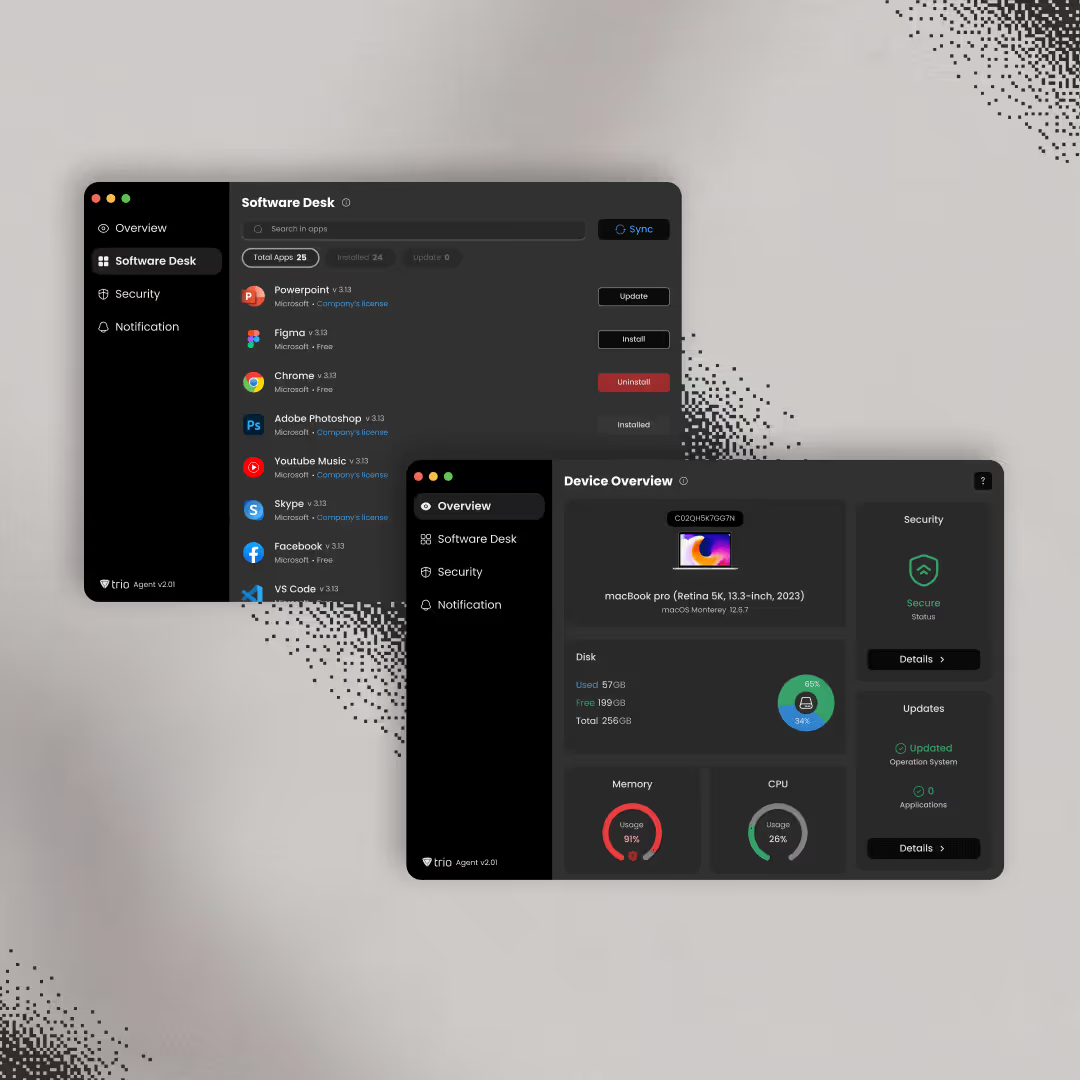
We built Trio’s Software Management to centralize everything — from app deployment to version governance.
Admins can pull apps from the Trio Store, official app stores, or upload custom PKG/MSI/DEB packages.
They can create allowed and blocked app lists, enforce updates, or apply policy-driven version control.
Trio supports over 100 platform-specific policies — from network and password settings to storage encryption and camera access.
To help admins navigate this power safely, we created Policy Groups — curated bundles designed around use cases like “Remote Teams” or “Healthcare Compliance.”
We also introduced a Command Layer — a direct channel for admins to send instant or scheduled commands to devices (e.g., “Sync Policies,” “Run Patch,” “Collect Location”). Recommended commands are prebuilt for safety and ease.
Every tool was designed to reduce hesitation and increase predictability.
Geolocation & Kiosk Experiences
We brought location data into the heart of Trio.
Admins can draw circular or polygonal geofences, assign devices or groups, and define automated responses like locking a device that leaves a defined zone.
The system integrates Google Maps for accuracy and offers control over GPS frequency and data precision.
Kiosk devices extend this logic indoors — admins can define their own digital environments with custom app layouts, touch controls, and branding.
In both cases, design isn’t just functional — it’s spatial, tangible, and grounded in context.
Security Management
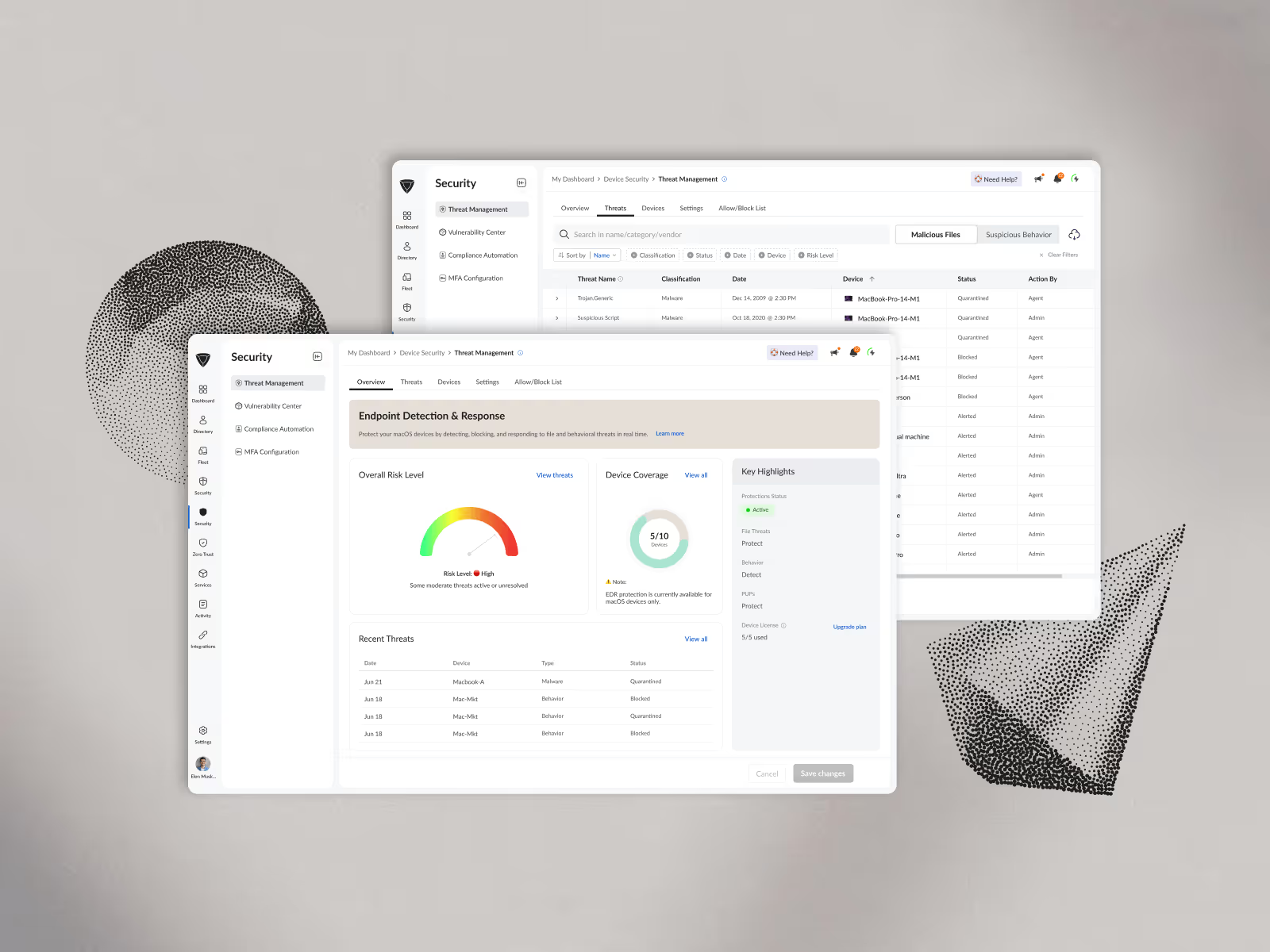
Security is Trio’s nervous system.
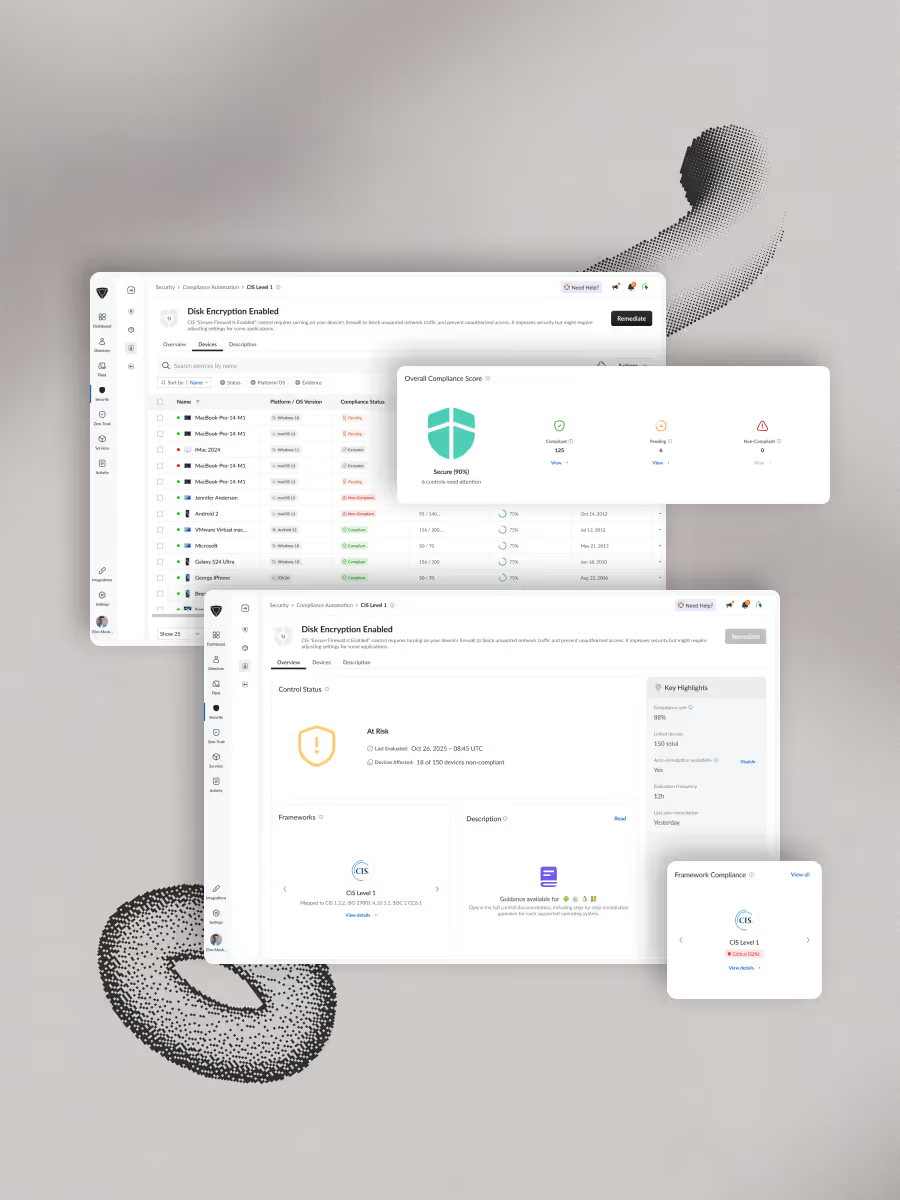
The Security Center brings compliance, patching, and threat defense together. Admins can enable frameworks like SOC 2, HIPAA, NCA, and SAMA, and Trio continuously checks every device’s compliance posture.
Non-compliant devices automatically trigger remediation or alert workflows.
Patch Management orchestrates OS and app updates in controlled waves.
Threat Management, currently live on macOS and expanding to Windows, functions as built-in endpoint protection — isolating compromised devices before they spread risk.
Security in Trio is visible, traceable, and explainable — because admins trust what they understand.
Zero Trust: The Unifying Intelligence
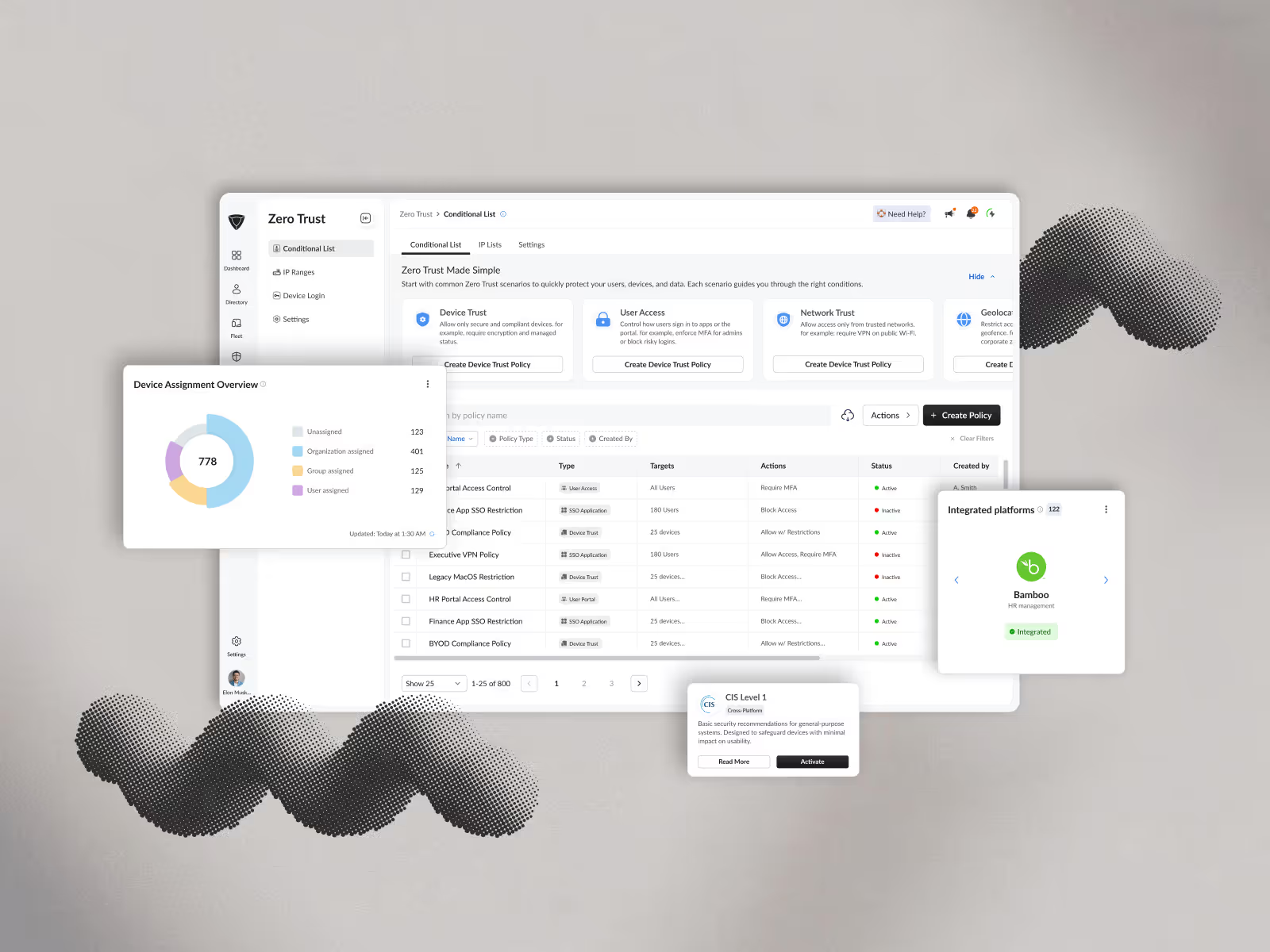
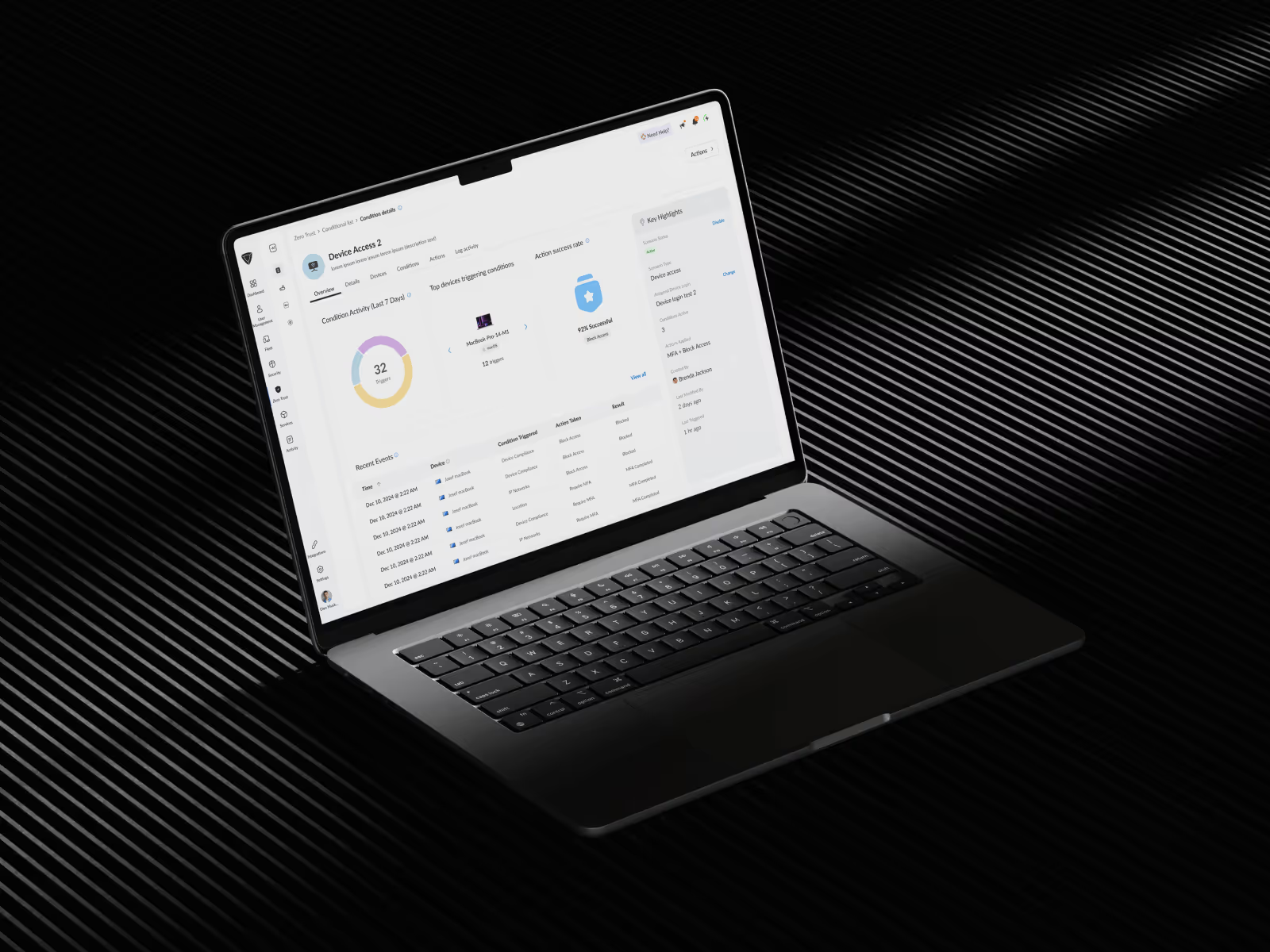
The Zero Trust Engine is where Trio’s architecture truly converges.
It allows admins to define conditions and actions that respond in real time to signals from across the platform:
- Conditions: Device compliance, network type, geolocation, login behavior, or profile status.
- Actions: Block, grant, require MFA, revoke tokens, enforce policy, or even control OS-level login.
Example:
If a user logs in from an unknown network and their device is non-compliant → block access and trigger patch enforcement.
On macOS and Windows, admins can even manage device login directly from Trio, applying Zero Trust at the authentication layer.
This feature turned Trio from a management console into an autonomous trust framework — where security feels logical, not restrictive.
Services, Activity & Reports
Beyond management, Trio became a hub for operational efficiency.
- Asset Management: Track company hardware, tag and scan assets, and define allowed removable storage.
- Ticket Management: Users can submit IT requests directly from their portal, linked to devices and users.
Every action in Trio is logged — forming a permanent activity trail that can be filtered, analyzed, and exported.
The Reporting Engine gives admins the ability to create custom dashboards, apply filters, schedule recurring exports, or use built-in templates for users, devices, security, and software.
This wasn’t just about data visibility — it was about organizational memory.
Integrations & Ecosystem
Trio integrates seamlessly with the tools enterprises already use.
Through SAML, OIDC, SCIM, and Active Directory, admins can connect identity providers, communication suites, or security stacks.
Trio’s prebuilt catalog of integrations covers productivity, analytics, and endpoint defense — making it part of the organization’s ecosystem rather than another isolated system.
Continuous Improvement: Stability, Consistency & Growth
As our customer base grew, I made a deliberate shift in focus: pause feature expansion and prioritize product consistency.
I gathered insights from multiple sources
- customer meetings and feedback sessions,
- usability testing,
- QA reports and backlogs,
- and long-term support tickets
to identify weak points in usability, flow logic, and accessibility.
The guiding principle was singular: consistency is confidence.
We refined flows, unified patterns, aligned terminology, and improved accessibility standards. This consistency made Trio not just faster to use — it made it feel right.
That phase transformed Trio from a feature-rich product into a stable, trustworthy ecosystem — one customers could rely on daily.
Design Outcomes
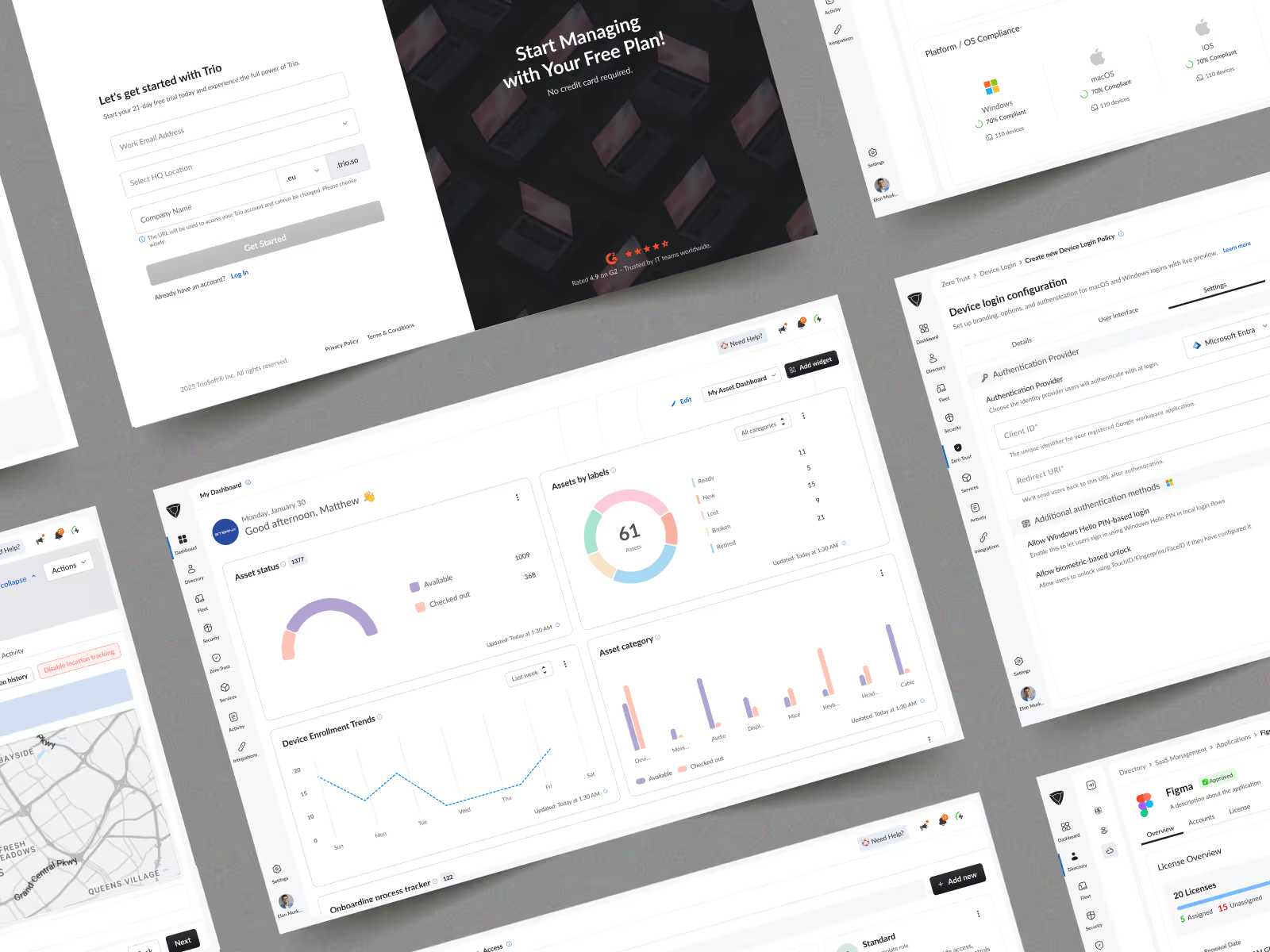
By the time Trio’s beta launched, it had evolved from an ambitious concept into a coherent, enterprise-ready platform.
Key results:
- 60% faster setup through guided onboarding and industry templates.
- 45% better accuracy between user, device, and policy relationships.
- Stronger adoption among non-technical teams across SMBs and large enterprises.
- Design system maturity: thousands of Figma components, fully integrated with our dev pipeline.
Admins consistently described Trio as “powerful but not intimidating.”
That phrase became the hallmark of our success.
Reflection
Trio was more than a product design challenge — it was an ecosystem design challenge.
It demanded architectural thinking, empathy, and relentless iteration.
As Product Design Lead, I played many roles — from system architect and researcher to storyteller and facilitator. I collaborated daily with engineers, product managers, and QA to keep design and logic inseparable.
Our roadmap remains long and ambitious — with exciting plans to deepen automation, expand integrations, and refine Zero Trust intelligence. But one thing never changes: our obsession with consistency, trust, and user confidence.
I believe the success of Trio will come not only from what it does — but from how it feels.
And that feeling is the result of thousands of hours, countless iterations, and a team that never stopped believing in better.
Design isn’t just what Trio looks like.
It’s how it gives IT teams peace of mind.