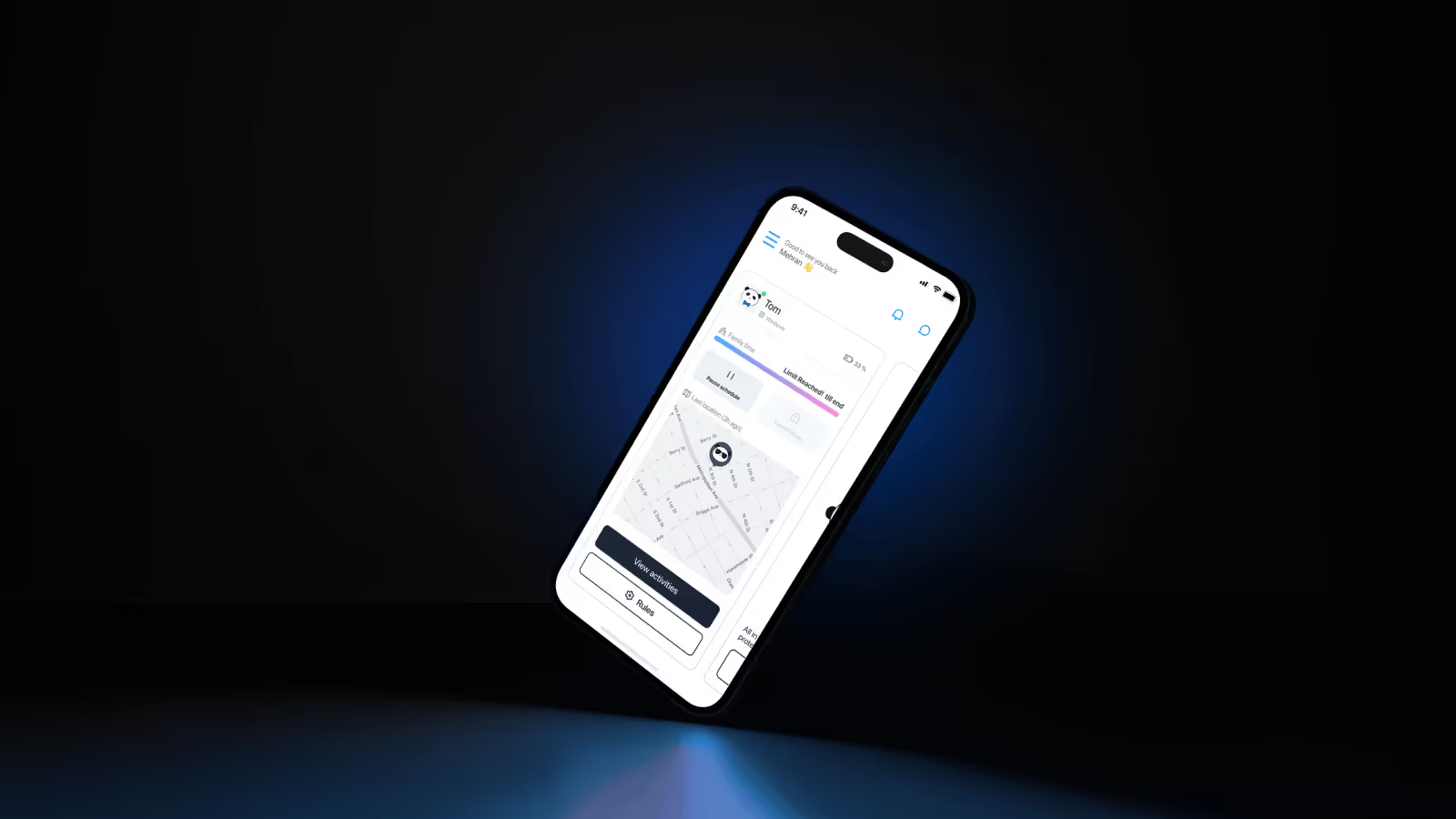
Classroom Intelligence
research-driven redesign of Trio’s education MDM—transforming it from a complex IT tool into a simple, intuitive digital classroom platform. This case study uncovers how deep field research, user-driven architecture, and thoughtful UX strategy reshaped Trio School into a multi-platform ecosystem where teachers regain control, IT admins gain clarity, and students stay safe. A story of turning scattered features into a focused, human-centered classroom experience.
Introduction
When I joined Trio as a Senior Product Designer, the company was preparing to launch its first version of Trio School — an MDM solution for educational institutions.
The mission was clear: help schools manage their students’ digital devices safely and easily.
But as I reviewed the product, I realized something fundamental — we had a product, but not a clear understanding of our users.
The initial version was built quickly, without structured research or a clear connection to school environments.
It offered complex controls designed for IT professionals, not for school staff who often lacked technical expertise.
It had features — but not focus.
My goal became to redefine the product from the inside out — turning Trio School into an intuitive, research-driven MDM platform tailored to real classroom needs.
Problem & Research
The Challenge
The first version of Trio School faced three key problems:
- Unclear user needs — features didn’t match how schools actually worked.
- High onboarding cost — IT managers found setup overwhelming and complex.
- Weak differentiation — strong competitors already offered simpler school-ready tools.
To rebuild the foundation, I began by gathering insight instead of pixels.
Research Approach
I conducted stakeholder interviews with executives, marketing leads, and sales teams to understand the business context.
Then I reached out to school IT managers and educators across multiple countries to learn what managing devices in classrooms actually looked like.
Through interviews, surveys, and usability audits, we uncovered clear patterns:
- Schools wanted cross-platform compatibility (especially Android, iPadOS, and iOS).
- Most school IT admins were not professional system engineers — they needed guidance, not complexity.
- Web filtering, screen time, and safe search were top priorities, not advanced automation.
- Admins wanted visibility over control — they needed to see what students were doing, not just block them.
These findings became our blueprint.
We defined key user personas (IT Admin, Teacher-Admin, and School Director) and mapped new user journeys based on classroom routines.
The insight was simple but transformative:
“Schools don’t want a corporate MDM. They want a digital classroom assistant.”
Design Strategy
Re-architecting the Platform
Before redesigning screens, I restructured the system around five key entities:
- Students: Primary users with managed or personal devices.
- Classes: Logical groups that organize students, devices, and policies.
- Devices: Enrolled endpoints across iOS, iPadOS, macOS, Android, Windows (and later, ChromeOS).
- Staff/Admins: Users with management access — teachers or IT staff.
- Profiles (Policies): Sets of configurations that control apps, websites, and device behavior.
This model kept the structure simple, scalable, and easy for non-technical users to understand.
Cross-Platform Advantage
Our first competitive strength came from cross-platform enrollment.
Trio School became one of the few education MDMs that supported Android, iOS, iPadOS, macOS, Windows, and later ChromeOS — all through one dashboard.
We simplified enrollment into three steps and provided guided setup instructions for each platform.
Admins could onboard both School-Owned Devices (SOD) and Student-Owned Devices (BYOD) without external help — a major win for accessibility.
Simplifying Policy Management
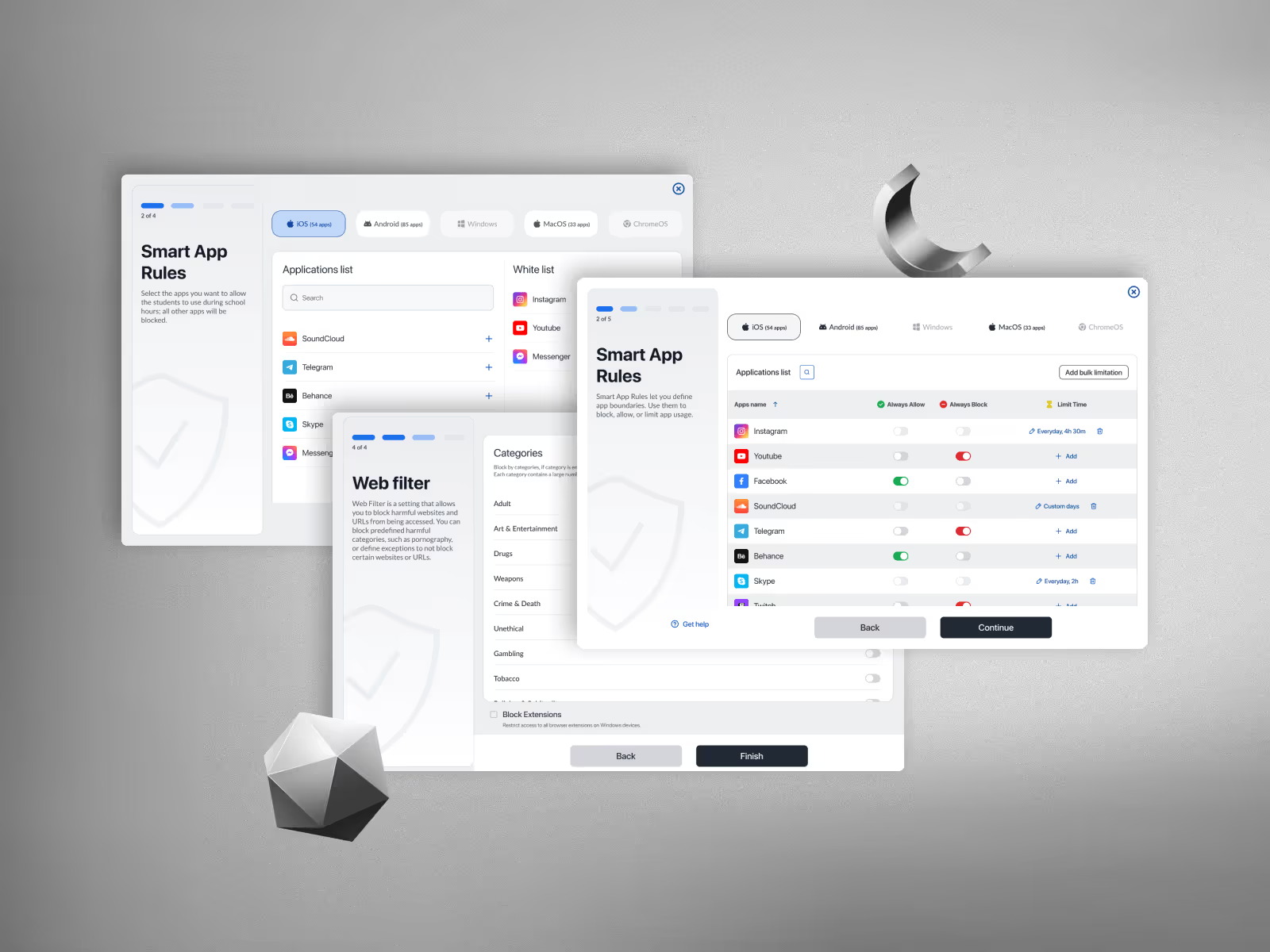
The Profiles module became the heart of the redesign.
In the old version, admins had to create and configure multiple independent policies — a task that overwhelmed most users.
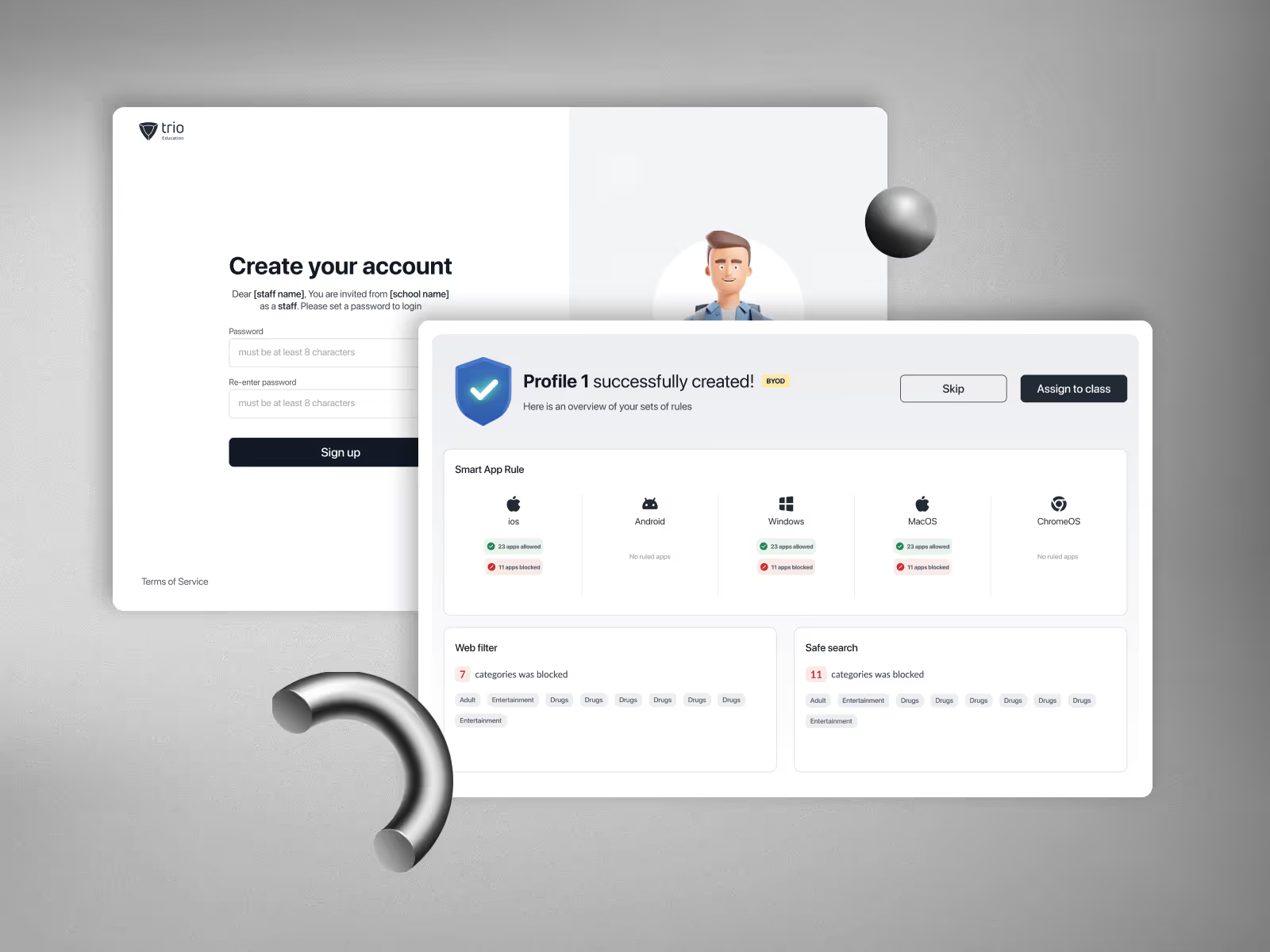
To fix this, we introduced pre-built “Smart Profiles” — ready-to-use policy sets designed for education.
Admins could simply select a preset, review recommended restrictions, and customize only what they needed before applying it to all devices or specific classes.
Each profile combined essential safety categories:
- Web Filter & Safe Search: thousands of categorized websites automatically filtered by student age.
- App Access Controls: admins could block, allow, or time-limit apps for classes or individuals.
- Content & Privacy Rules: controls for media sharing, screenshots, and in-app purchases.
This approach eliminated decision fatigue and reduced configuration time dramatically.
“Instead of teaching admins how to configure 50 rules, we gave them 5 intelligent templates that just worked.”
Device Monitoring & Reporting
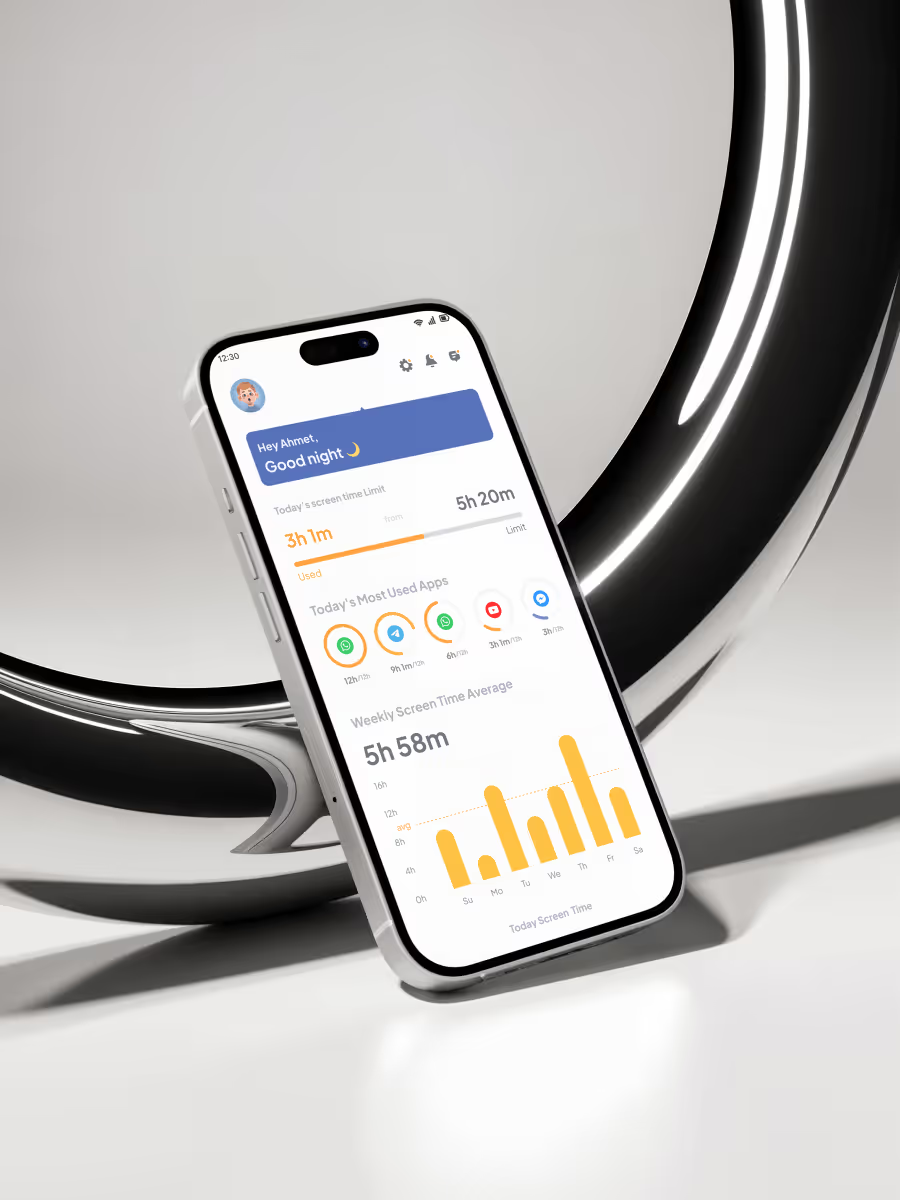
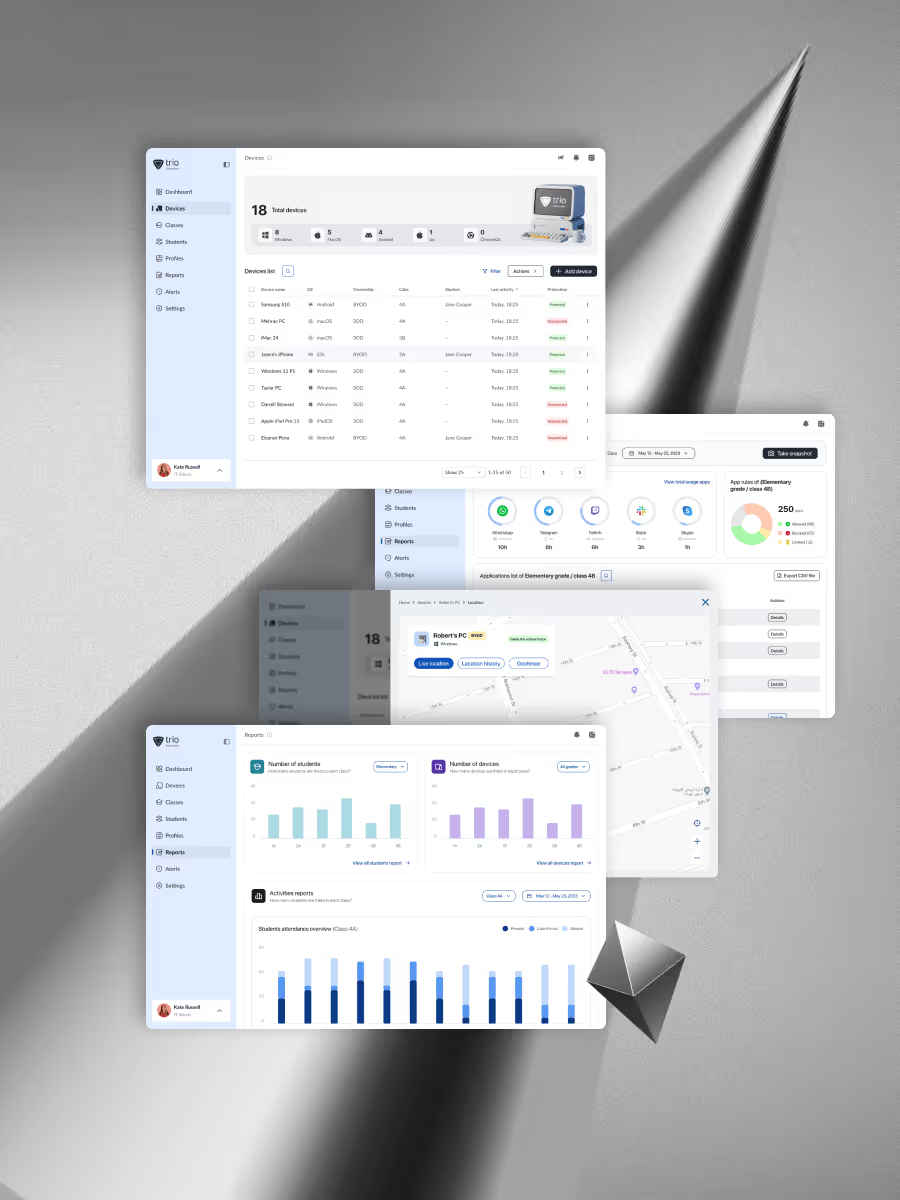
We introduced a simplified Fleet view where admins could:
- Track device status (online/offline) and location.
- View installed apps and usage history.
- Access quick actions — Lock, Restart, Sync, or Wipe — without leaving context.
- Generate usage and compliance reports for school management.
Reports included data on app usage, screen time, location summaries, and security logs, all exportable for audits or parent reports.
This visibility gave admins peace of mind — and gave teachers real control over digital classrooms.
Complementary Features
As the platform matured, we introduced several useful extensions requested by schools:
- Access Control: define admin roles for IT staff and teachers.
- Alerts System: notify admins of critical issues or policy violations.
- School Calendar: allow scheduled profile changes during holidays or exams.
- Localization: multi-language support for international schools.
All new features were tested through usability sessions with real users before deployment, ensuring the simplicity we promised stayed intact.
Usability Testing & Iteration
Before release, we conducted critical usability testing sessions with school IT teams.
We observed how quickly they could:
- Enroll devices,
- Apply profiles,
- Filter web content, and
- Generate reports.
Through iterative testing, we improved onboarding flow, clarified terminology, and refined visual hierarchy.
Accessibility also became a key focus — larger touch targets, clear contrast, and instructional tooltips replaced cluttered technical settings.
By the end of testing, the product had evolved into something every school IT manager could confidently use without external training.
Outcomes
The redesigned Trio School achieved measurable impact across two dimensions — business growth and strategic expansion.
Business Impact
- Successfully launched in multiple new regions including Malaysia and Dubai.
- Partnered with schools managing up to 200+ student devices each.
- Reduced admin onboarding time by over 50%.
- Received strong positive feedback from school directors citing clarity and ease of setup.
Strategic Impact
- Trio School’s success established Trio as a credible player in the education technology MDM market.
- The research and design lessons from this project inspired the evolution of Trio Business — the company’s UEM and Endpoint Security platform now serving industries beyond education (retail, healthcare, SMBs, tech, and enterprise IT).
Trio School was more than a vertical product; it became the proof point that our platform could scale beyond a single industry.
Reflection
Designing Trio School was a turning point in my product journey.
It began as a rescue mission — a product launched without direction — and evolved into a structured, research-driven platform grounded in real classroom behavior.
It reinforced a lesson I carry into every project:
“Design isn’t about adding features. It’s about aligning human capability with system logic.
As a designer, I learned to balance speed with discovery, ambition with empathy, and vision with usability.
Today, Trio School stands as a cornerstone of Trio’s product ecosystem — and the moment where our design team proved that clarity is the most scalable feature of all.