

Designing an Enterprise-Ready ACL System
When enterprise adoption grows, even the most elegant SaaS products face a crucial question:
How do you manage who can do what—without overwhelming IT admins?
Our team faced this challenge as our B2B platform began serving larger organizations. The goal was to design an Access Control List (ACL) system that offered flexibility, security, and ease of use—all at scale.
The Challenge
In large companies, every feature and dataset has an owner. Without intelligent access control, things quickly turn messy—permissions overlap, data leaks, and admins burn out.
We needed to design a structure that balanced granular control with clarity, empowering admins instead of confusing them.
UX Approach
1. Predefined Roles as Templates
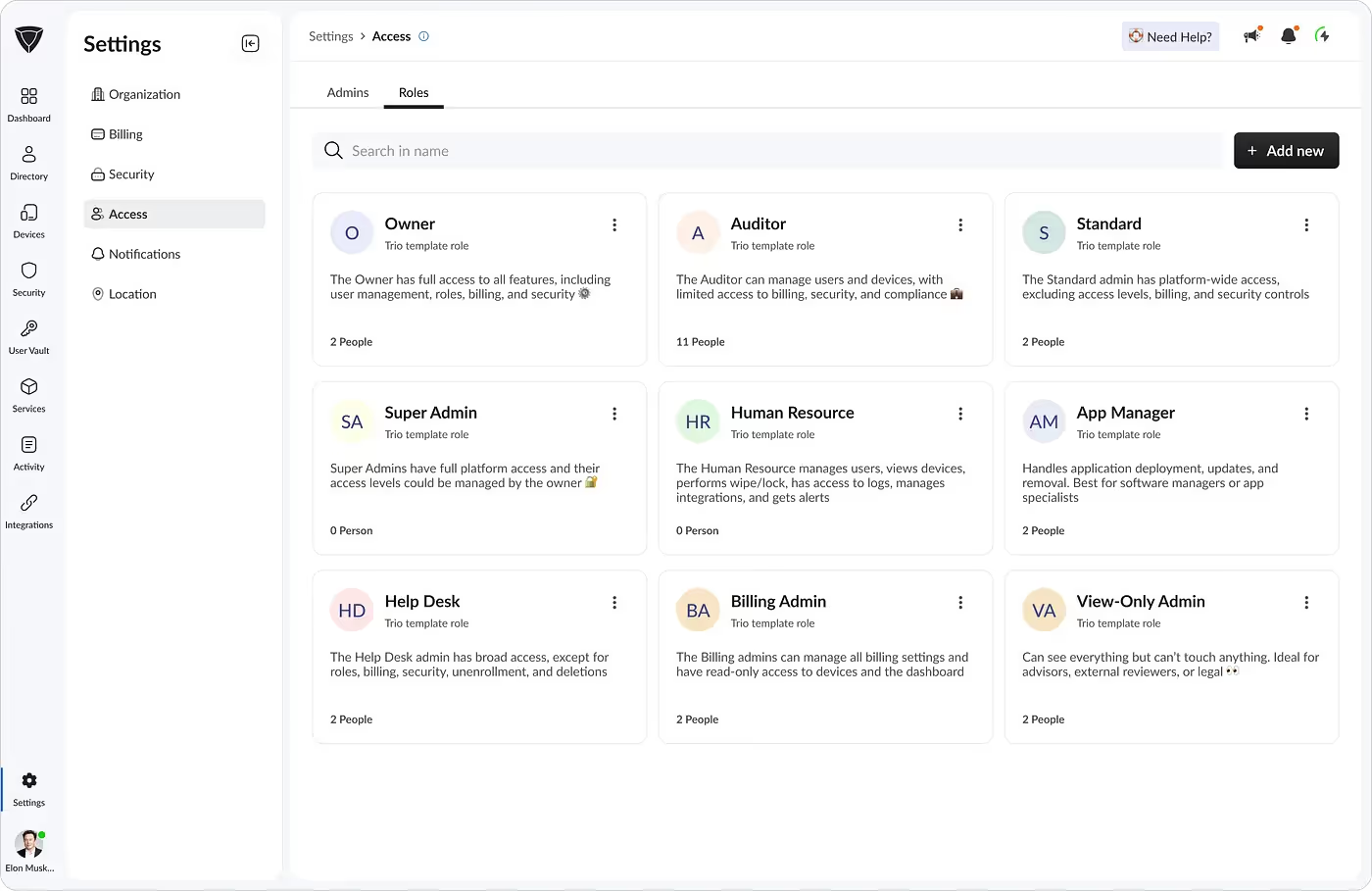
To reduce setup friction, we introduced predefined roles like Device Admin and Organization Owner.Each came with sensible, preset permissions so IT teams could assign them instantly and move forward.
2. The Advanced Permissions Debate
Our sales team wanted deep, granular permission toggles for enterprise prospects. From a UX perspective, I knew that could overwhelm most users.We implemented the feature anyway—sometimes you must build to validate.Later analytics confirmed my instinct: most admins preferred the simple, predefined roles.
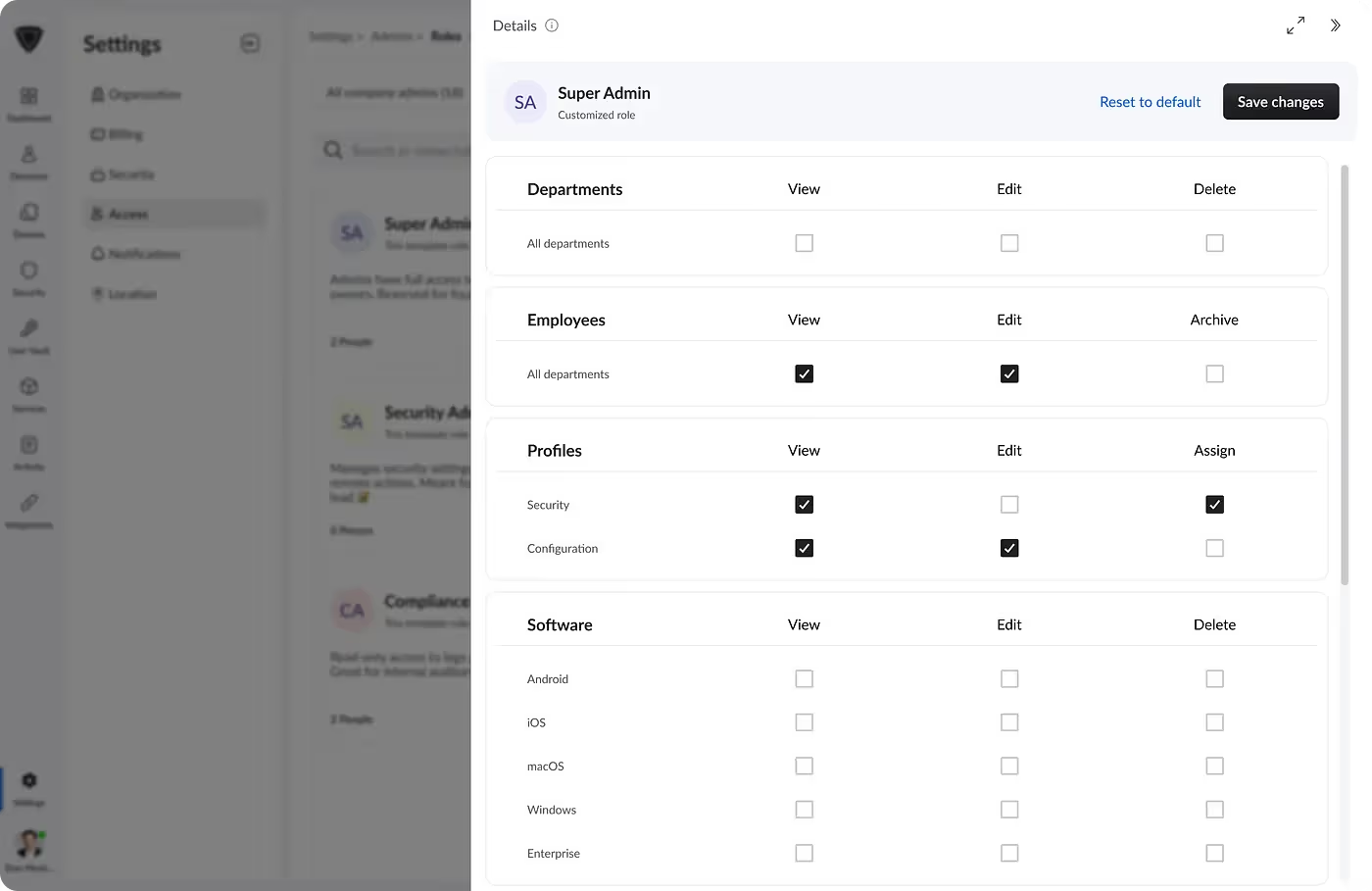
3. Directory Integration
By connecting the ACL system to our directory management module, companies could import users directly from their cloud providers and assign roles in seconds.This integration became a huge time-saver for IT admins managing hundreds of accounts.
4. Security Enhancements
We strongly encouraged—and sometimes enforced—Multi-Factor Authentication (MFA) for all admin roles.Access control isn’t just about limiting permissions; it’s about ensuring trust in every action.
Key Outcomes
Two design decisions proved critical:
- Smart Defaults: Predefined roles satisfied 90% of customer needs, reducing cognitive load.
- Integrated Experience: Directory sync turned access setup into a frictionless part of onboarding.
The result was an ACL system that scaled gracefully while remaining easy to understand.
The Result
The feature launched with minimal training needs and near-zero support tickets.
Feedback confirmed that admins valued clarity over complexity.
Even though we added advanced controls, simplicity won.
Reflection
This project reinforced a simple UX truth:
Design for confidence, not control.
When admins feel confident in how permissions work, they move faster, make fewer errors, and trust the system more deeply.
Read the Full Story
For the complete behind-the-scenes breakdown and UX lessons:
👉 Read the full article on Medium →